Harbor Key Realty — Real Estate CRM & Workflow Automation
A premium property website connected to a working CRM and a visual workflow engine. Every enquiry becomes a lead, is routed by transparent rules and followed up automatically, with a full audit trail.
- Client
- Harbor Key Realty (fictional)
- Sector
- Real estate
- Setting
- Dubai
- Status
- Concept project · not a client
Harbor Key Realty, its agents, listings, prices and leads are invented for this concept. Property photos are Unsplash stock images, not the homes described.
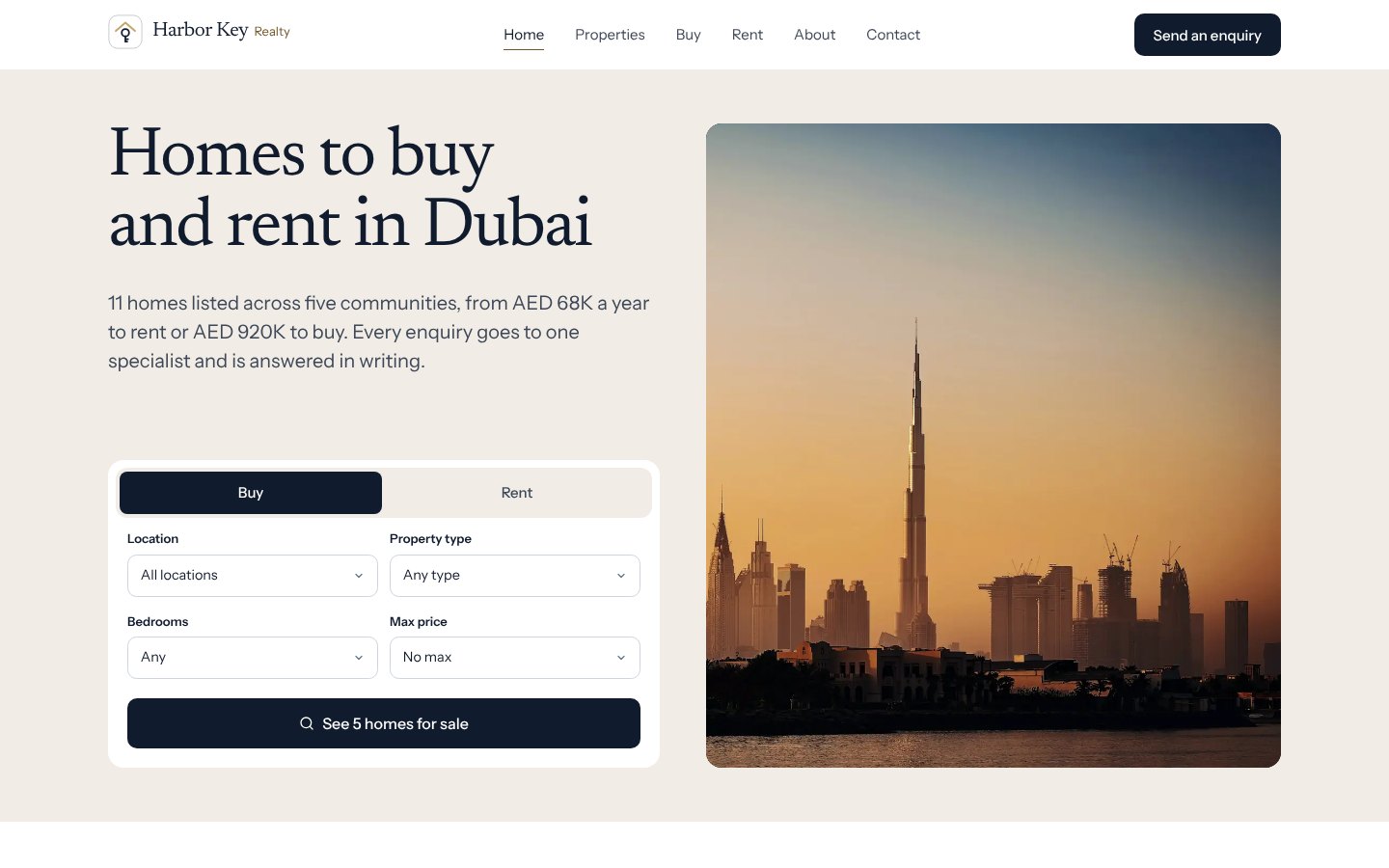
Concept project. Runs entirely in your browser on fictional sample data; workflows only change local records and nothing is emailed or messaged.
Overview
A website and a CRM that share one brain.
A premium website for a fictional Dubai brokerage, with listings, buy and rent search and enquiry forms, connected to an internal CRM where the team manages leads, listings, agents and tasks.
A real workflow engine sits between them. When someone enquires, the lead is created, prioritised, assigned and given a follow-up task by workflows that anyone on the team can open, edit and test.
The problem
Why this matters.
Property enquiries arrive from listing pages, contact forms and searches. Without one system they sit in inboxes, get assigned inconsistently and follow-ups depend on memory, so serious buyers and tenants can wait hours for a reply.
The solution
Capture, route, follow up, record.
One data layer
The public website and the CRM read and write the same records, so an enquiry appears in the pipeline the moment it is sent.
Rules you can read
Priority and agent assignment follow ordered, editable rules with a fallback agent. Every decision shows why it was made.
Workflows you can watch
A visual builder and a deterministic engine run follow-ups step by step, with execution history, failures and loop protection.
Preview
Inside the demo.
Screens captured from the working demo in a browser. All data shown is sample data.
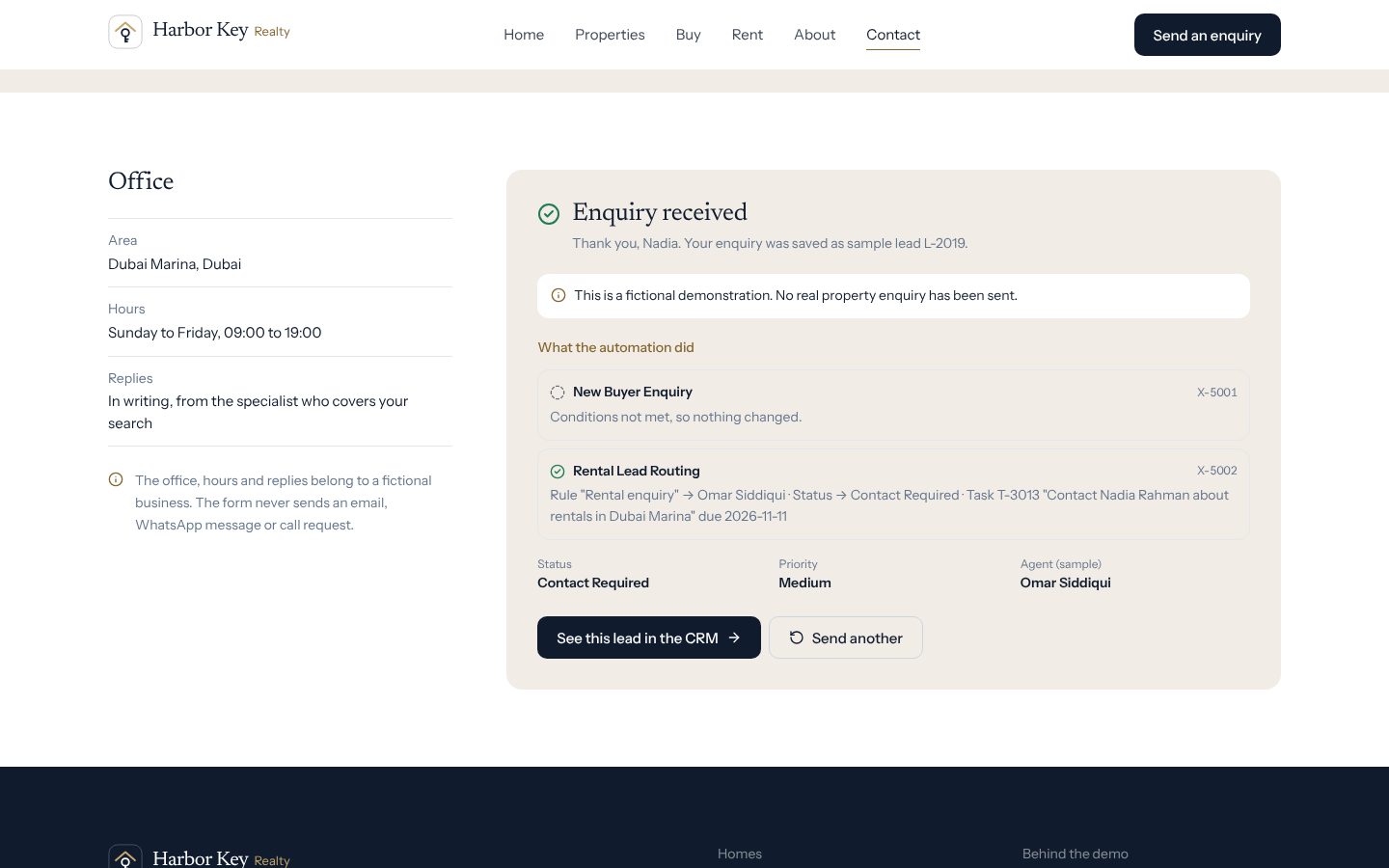
Enquiry to lead, instantly
A visitor sends an enquiry. It is saved as a lead and the active workflows run on it straight away; the visitor sees exactly what happened, and that nothing was really sent.
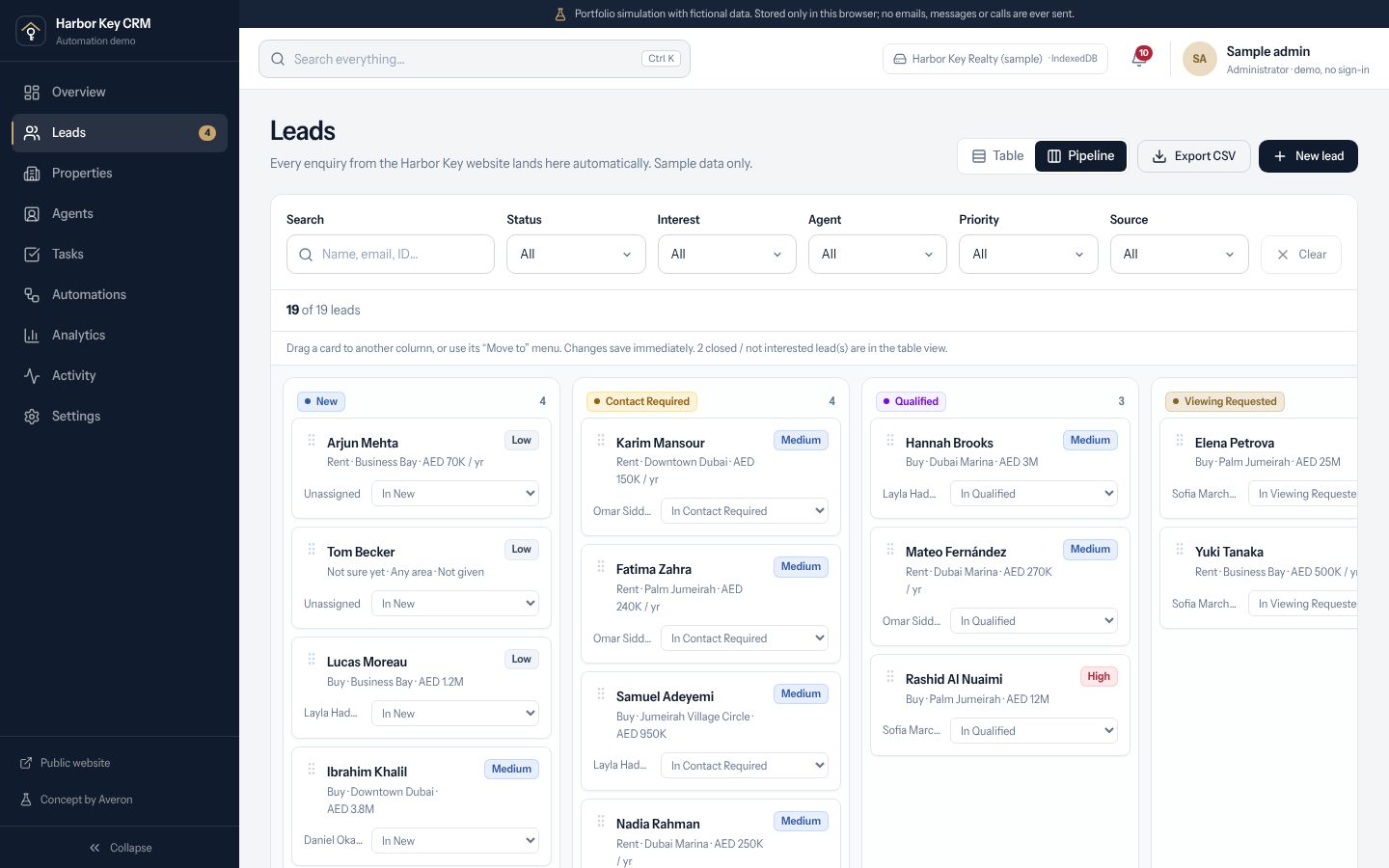
Lead pipeline
Drag cards between stages or use the keyboard menu. Moving a lead to Viewing Requested starts the viewing workflow.
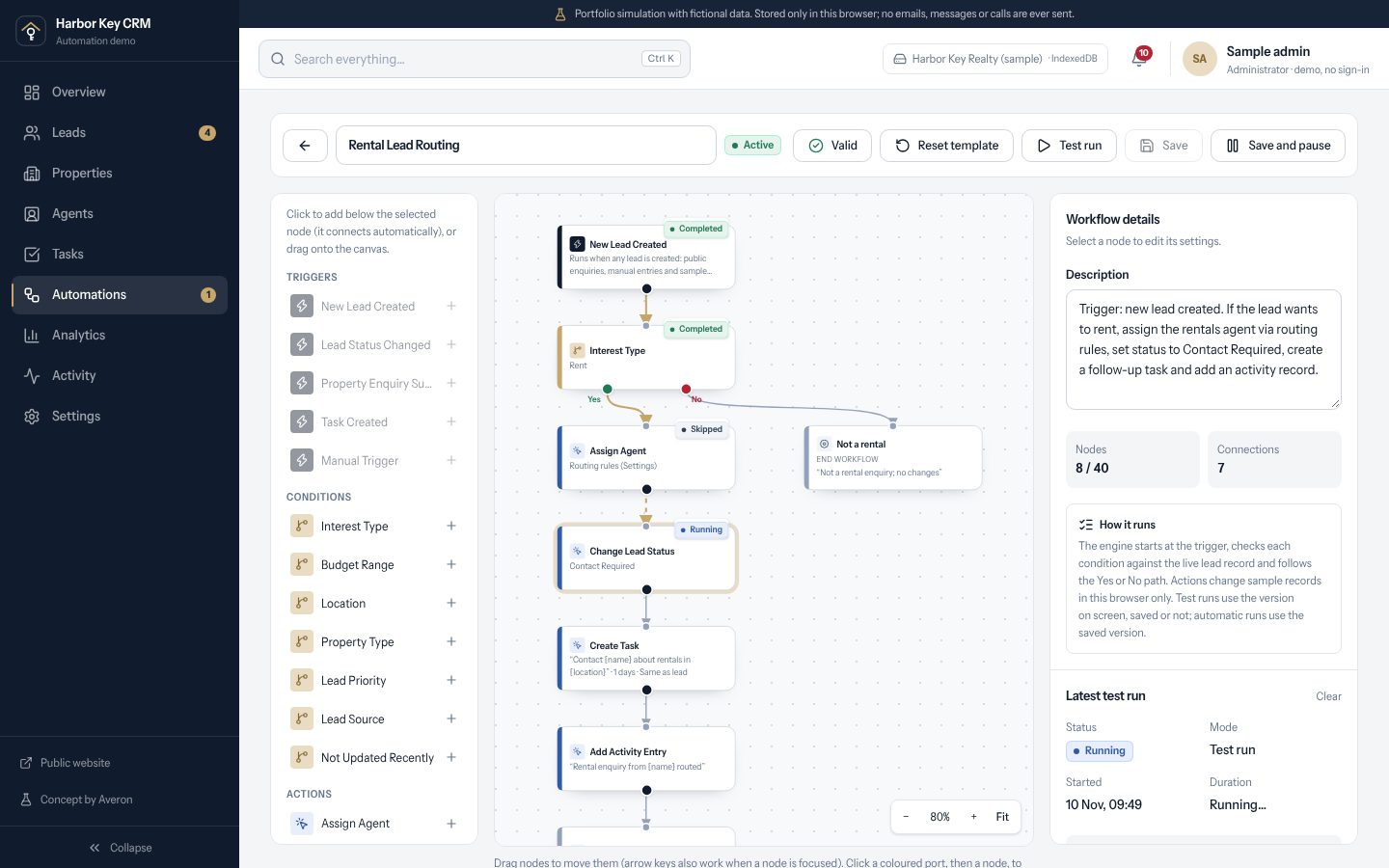
Visual workflow builder
Triggers, conditions, actions and flow control on a canvas. A test run lights up each node as it executes and marks the path taken.
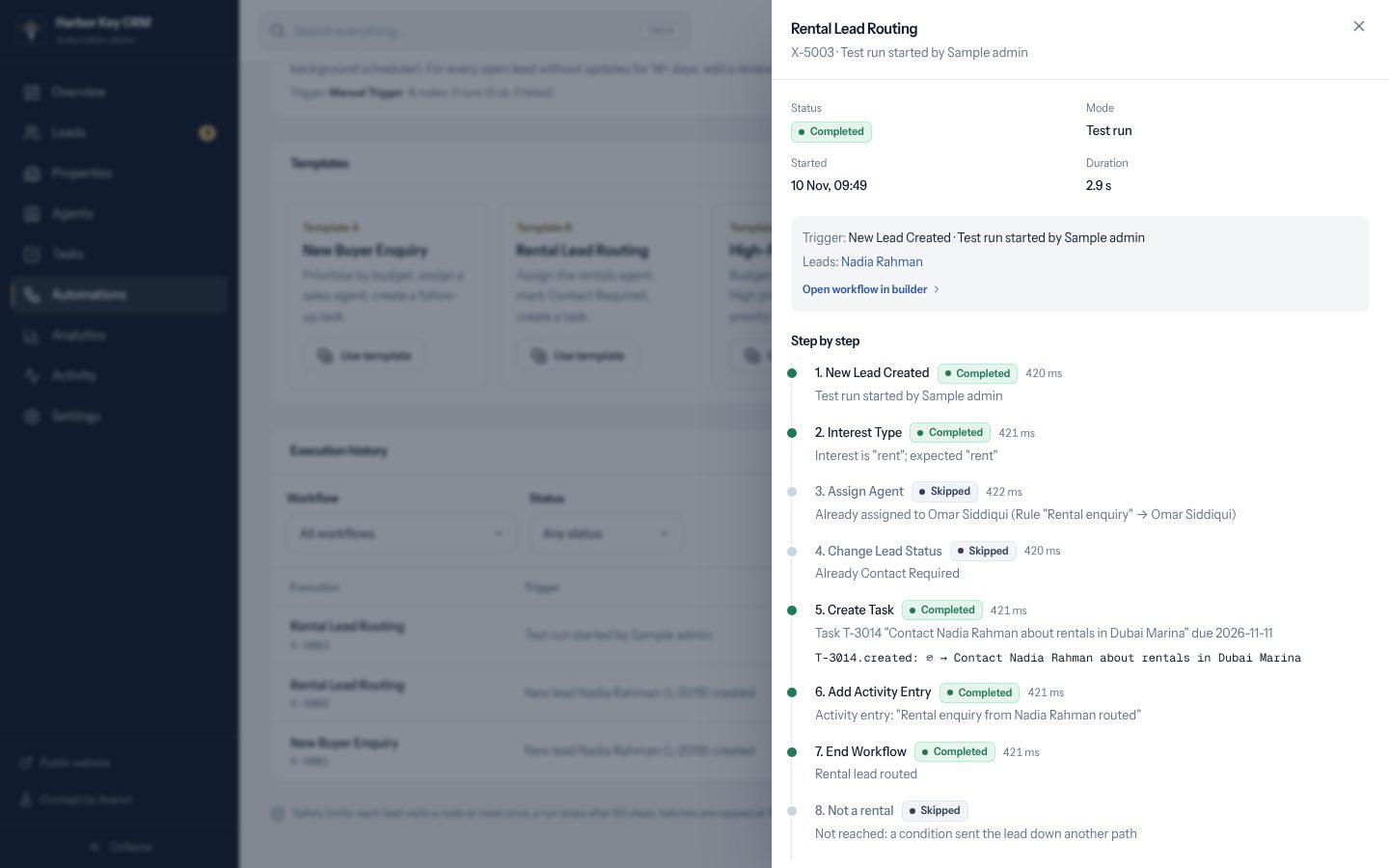
Execution history
Every run is recorded step by step with the records it changed, how long it took and why it failed, if it did.
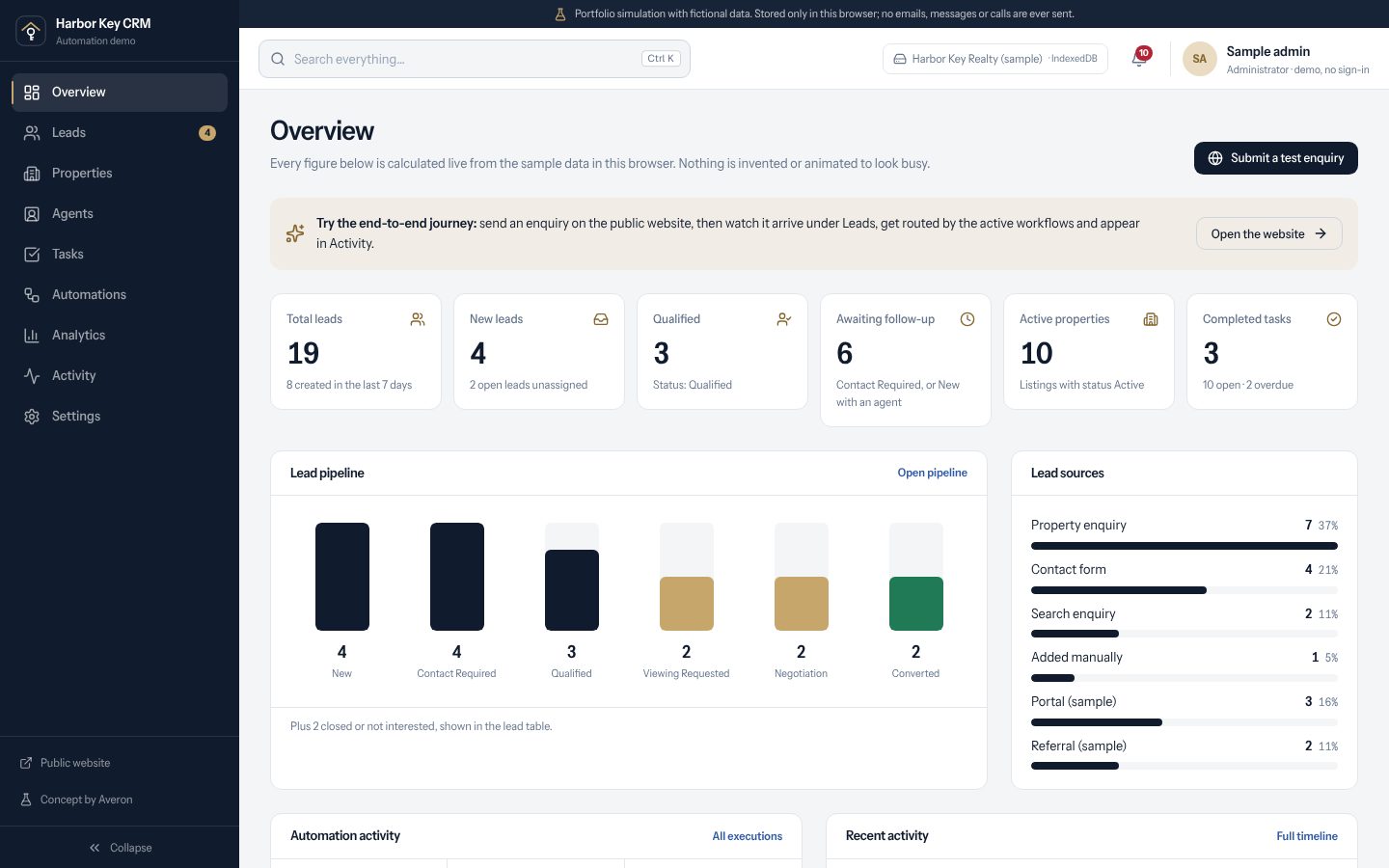
CRM overview
Counts are calculated live from the sample data: leads by stage, sources, automation runs and recent activity.
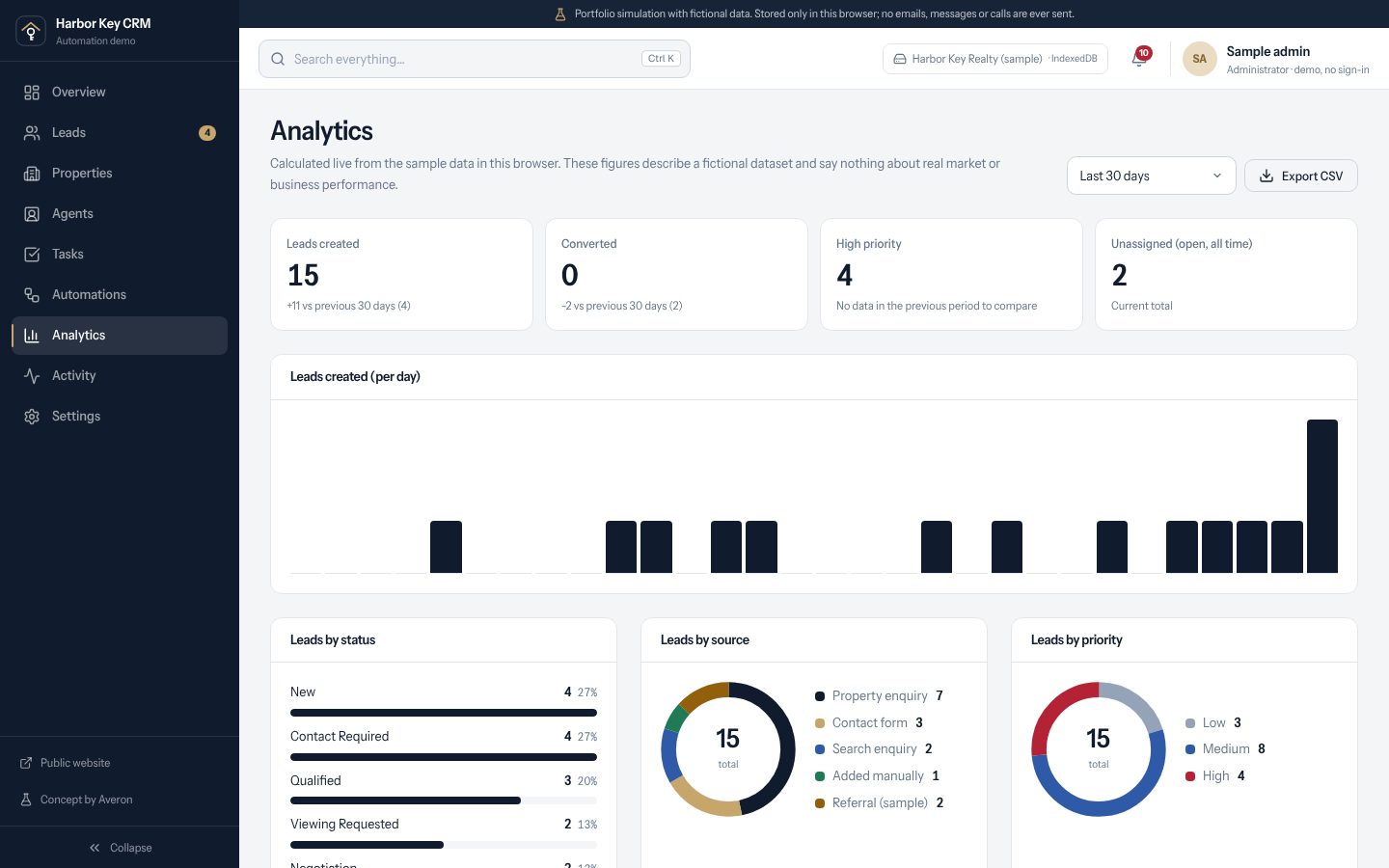
Analytics
Leads by status, source, area and priority, agent workload, task completion and automation results, with CSV export.
Architecture
Built to be inspected.
- 01
Shared data layer
One typed store for listings, leads, agents, tasks, workflows and activity. The website and CRM both read and write it.
- 02
Service layer
Every change goes through one place that validates it, records an activity event and emits workflow triggers.
- 03
Workflow engine
Walks the graph from the trigger, evaluates conditions against the live lead and performs actions, recording each step.
- 04
Storage adapter
IndexedDB in the browser today, behind an interface that a hosted database could implement later.
Safety limits: one visit per node per lead, 60 steps per run, batches capped at 100 leads, and workflows can't restart themselves through their own changes.
Templates
Five ready-made workflows.
- A
New Buyer Enquiry
Prioritise by budget, assign a sales agent, create a follow-up task.
- B
Rental Lead Routing
Assign the rentals agent, mark Contact Required, create a task.
- C
High-Priority Lead
Budget above a threshold: High priority, the right agent, a priority task and a note.
- D
Viewing Request
On Viewing Requested: a coordination task, a timeline event and a next action.
- E
Stale Lead Review
Run manually or as a simulated schedule to flag leads with no recent updates.
Features
- Property website with search and filters
- Enquiry forms that create CRM leads
- Kanban pipeline and lead table
- Visual workflow builder
- Five automation templates
- Execution history and live run view
- Routing rules and fallback agent
- Analytics with CSV export
Technology
- Next.js
- React
- TypeScript
- Tailwind CSS
- Motion
- IndexedDB
- Custom workflow engine
Designed to deliver
- No enquiry left unassigned
- Consistent, explainable routing
- Follow-ups that happen without anyone remembering
Design goals, not measured results.
What it is, and isn't
- Harbor Key Realty, its listings, agents and leads are invented. There are no real clients, results or testimonials.
- Everything runs in the visitor's browser. Data is kept in IndexedDB, which is not secure, shared or suitable for real client data.
- Workflows only change local records. No email, WhatsApp, SMS or calendar booking is ever sent, and there is no background scheduler.
- Routing and recommendations are fixed, readable rules, not AI predictions.
Try it yourself
Send an enquiry, then watch it arrive in the CRM and get routed.
Next demo
A premium website and booking system for a car detailing studio
Want this for your business?
We can adapt the CRM and workflows to the way your team handles enquiries today. Tell us how leads reach you and we'll reply with a scope and fixed quote.